
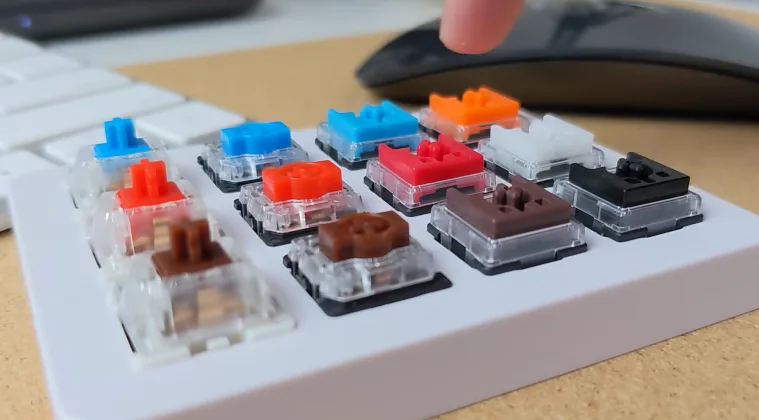
Quiet typing is essential in shared spaces, late-night gaming, and open-plan offices. If you want a keyboard that stays discreet without sacrificing feel, choosing the quietest mechanical keyboard switches/ matters more than chassis materials or keycaps. In this guide, you’ll learn how switch design, dampening methods, and housing affect acoustics, and how to balance noise with actuation, travel, and durability. By understanding these factors, you can select a model that suits work, study, and play—without turning your desk into a percussion section.
To begin your search, study the specific switch families that are engineered for quiet operation. You can compare linear, tactile, and clicky options, but the quietest choices usually combine dampened actuation with a closed housing. For a concise reference, explore the quietest mechanical keyboard switches/ collection, which aggregates tested models and user feedback on sound, feel, and reliability.
Understanding quiet switch design
Linear switches without texture often sound smoother, while tactile and clicky switches tend to be louder. The quietest options typically use integrated dampening inside the stem or housing, plus a silicone or POM pad to cushion impact when the key returns. Some brands also seal the housing to reduce ping and cap resonance. When evaluating options, consider actuation force as well: too light, and you may press harder; too heavy, and the switch may bottom out with a louder thud.
Top quiet mechanical keyboard switches
- Cherry MX Silent Red — a linear option with silicone dampening to minimize acoustic noise.
- Gateron Silent Red — a smooth, quiet linear choice that pairs well with dampened keyboards.
- Kailh Silent Box Red — dampened and proven in quiet builds with reduced post-press ping.
- ZealPC Zilent series — premium dampened switches known for low noise and a refined feel.
- Matias Quiet Click — a tactile option with reduced click sound, designed for quieter office keyboards.
Practical tips for building a quiet keyboard
In addition to selecting dampened switches, choose a case with good damping and consider adding foam inside the chassis to absorb vibrations. Lubricating the stem and rails with an appropriate lubricant can reduce friction and noise, while thicker, well-made keycaps can minimize lid resonance. A heavier case often reduces overall resonance, contributing to a quieter typing experience. If possible, test several switches on a single board or keyboard tester to compare their acoustic profiles side by side.
Testing and buying tips
Test in a quiet room when possible, and request samples or switch testers from vendors to hear the differences firsthand. Check return policies so you can swap switches if the perceived noise level isn’t to your liking. For work environments, aim for a measured sound profile that stays under a comfortable threshold while preserving typing satisfaction. Remember, personal perception matters: two users may rate a switch differently based on typing technique and keyboard layout.
For more tech guides and reviews, visit the TechZena site.
 Admin
Admin